
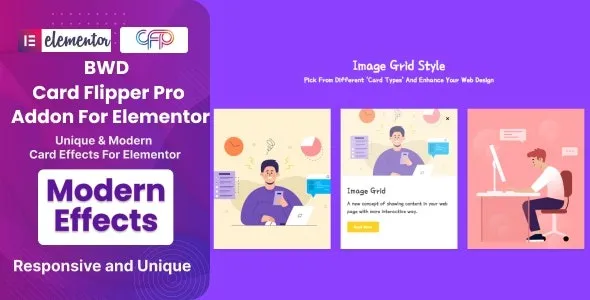

Description
BWD Card Flipper Pro – Addon for Elementor
BWD Card Flipper Pro is a creative WordPress addon for Elementor that lets you design interactive flip cards with smooth animations and customizable layouts. It’s perfect for showcasing products, team members, services, portfolios, or any content that benefits from a stylish front‑and‑back presentation. With its responsive design and flexible styling options, this addon helps agencies, bloggers, and businesses create engaging, modern websites.
🌐 Overview
- Purpose: Add animated flip cards to Elementor layouts.
- Audience: Agencies, designers, bloggers, e‑commerce stores, and businesses.
- Integration: Works seamlessly with Elementor’s drag‑and‑drop editor.
🔑 Key Features
- Front & Back Content: Display text, images, icons, or buttons on both sides of the card.
- Flip Animations: Choose from multiple flip styles (horizontal, vertical, 3D, hover effects).
- Customizable Styling: Control card size, colors, typography, borders, and shadows.
- Interactive Elements: Add links, call‑to‑action buttons, or icons for better engagement.
- Responsive Design: Optimized for mobile, tablet, and desktop.
- Reusable Templates: Save card designs and reuse them across multiple pages.
- Lightweight Performance: Smooth animations without slowing down your site.
⚙️ How It Works
- Install & Activate: Add the addon to your WordPress site.
- Open Elementor: Access the Card Flipper Pro widget.
- Design Front & Back: Insert text, images, or buttons on both sides.
- Choose Flip Style: Select horizontal, vertical, or 3D animations.
- Customize Styling: Adjust colors, typography, and responsiveness.
- Publish: Showcase interactive flip cards on your site.
📊 Comparison Table
| Feature | Default Elementor | BWD Card Flipper Pro |
|---|---|---|
| Flip Card Widget | No | Yes |
| Front & Back Content | Limited | Full customization |
| Flip Animations | Minimal | Multiple styles |
| Interactive Elements | Basic | Advanced options |
| Responsive Design | Partial | Fully optimized |
⚠️ Considerations
- Requires Elementor: Works only with Elementor installed.
- Manual Setup: Each card must be configured individually.
- Premium License: Some advanced flip styles may be Pro‑only.
✅ Best For
- Agencies & designers creating modern, interactive layouts.
- Businesses showcase products or services with stylish cards.
- Bloggers presenting team members or portfolios.
- E‑commerce stores highlight product features or promotions.
In short, BWD Card Flipper Pro – Addon for Elementor helps you design interactive, animated flip cards that enhance engagement and give your website a modern, professional look.










Reviews
There are no reviews yet.