

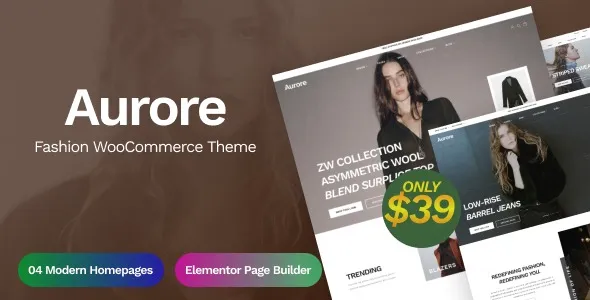

Description
The Aurore Fashion WooCommerce Theme at GPL Fox is a powerful solution for fashion boutiques, clothing stores, and lifestyle brands. This fashion WordPress theme is designed to showcase collections, seasonal launches, and accessories with elegance. Whether you need a clothing store WordPress template or a lifestyle brand WordPress theme, Aurore delivers modern layouts and seamless customization. With its boutique WooCommerce theme features, responsive fashion website design, and Elementor fashion theme integration, it ensures a professional online presence. Built as an SEO-friendly fashion WordPress solution, Aurore helps your brand stand out in search results while offering a smooth shopping experience.
📖 Theme Overview
- Name: Aurore – Fashion WooCommerce Theme
- Developer: LA-Studio
- Platform: WordPress (Elementor + WooCommerce)
- Audience: Fashion boutiques, clothing brands, lifestyle shops, accessories stores
- Design Style: Elegant, modern, fashion-focused
🚀 Key Features
- Elementor Integration: Drag-and-drop builder for easy customization.
- WooCommerce Ready: Full eCommerce functionality for selling fashion products.
- Modern Layouts: Stylish templates tailored for clothing and lifestyle brands.
- Responsive Design: Optimized for mobile, tablet, and desktop.
- Event Calendar Pro Support: Manage fashion events, launches, or promotions.
- Gravity Forms Integration: Build custom forms for customer engagement.
- Social Media Integration: Connect with Facebook and other platforms.
- WPML Support: Multilingual and translation-ready for global shops.
- SEO-Friendly: Structured for higher search engine rankings.
- Well Documented: Includes guides for setup and customization.
🛠️ Use Cases
- Fashion Boutiques: Showcase collections, seasonal launches, and accessories.
- Clothing Stores: Sell apparel with WooCommerce integration.
- Lifestyle Brands: Present curated products with elegant layouts.
- Event Promotions: Highlight fashion shows, launches, and campaigns.
📊 Comparison Snapshot
| Feature | Aurore Theme | Generic Fashion Theme |
|---|---|---|
| Elementor Support | ✅ Yes | ⚪ Limited |
| WooCommerce Ready | ✅ Full | ⚪ Basic |
| Event Calendar Pro | ✅ Supported | ⚪ Absent |
| Gravity Forms | ✅ Integrated | ⚪ Optional |
| WPML Multilingual | ✅ Ready | ⚪ Limited |
⚠️ Considerations
- Plugin Dependency: Requires Elementor, WooCommerce, and optional integrations for full functionality.
- Best for Fashion Stores: Tailored for clothing and lifestyle; less suitable for non-fashion niches.
- GPL Version: Available at GPL Fox without official developer support.
✅ Recommendation
Aurore – Fashion WooCommerce Theme is a premium WordPress theme designed for fashion boutiques, clothing stores, and lifestyle brands. It combines Elementor, WooCommerce, and modern layouts to deliver a stylish, responsive, and SEO-friendly eCommerce experience. Available at GPL Fox, it’s ideal for building elegant online shops with advanced customization.
If you’re building a fashion boutique or clothing store website, Aurore at GPL Fox is a stylish and powerful choice. It’s perfect for brands in Dhaka or globally that want to sell products online, promote fashion events, and engage customers with a responsive, SEO-ready design.










Reviews
There are no reviews yet.