


Description
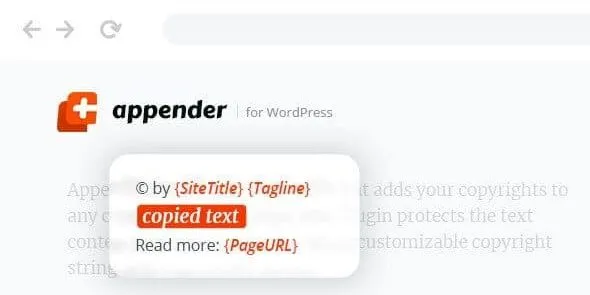
The Appender Copycat Content Protection for WordPress plugin is a powerful WordPress content protection plugin designed to safeguard blogs, articles, and product descriptions from plagiarism. This anti‑plagiarism WordPress plugin blocks right‑clicks, text selection, and copy‑paste shortcuts, ensuring your original work remains secure. With smart detection, the copy protection WordPress tool prevents scraping bots and suspicious activity, while customizable settings offer flexibility at the page level or globally. Lightweight and fast, the secure WordPress content plugin maintains performance without harming SEO.
Perfect for bloggers, agencies, and publishers, this blogging security WordPress plugin helps maintain brand integrity and originality. Whether you need an SEO friendly content protection solution or a right‑click protection WordPress plugin, Appender delivers reliable results. Available exclusively at GPL Fox.
🌐 Overview
- Plugin Name: Appender – Copycat Content Protection for WordPress
- Category: WordPress Plugin / Security, Content Protection
- Best For: Bloggers, publishers, agencies, and businesses that want to protect their original content from plagiarism and unauthorized copying
🎯 Key Features
- Content Protection
- Prevents copy‑paste theft of articles, blog posts, and product descriptions
- Blocks right‑click, text selection, and keyboard shortcuts for copying
- Smart Anti‑Copy Technology
- Detects and restricts suspicious content scraping attempts
- Works seamlessly across posts, pages, and custom content types
- Flexible Controls
- Enable or turn off protection per page or globally
- Customizable settings for user experience balance
- Lightweight & Fast
- Minimal impact on site performance
- Compatible with most WordPress themes and plugins
- SEO & Branding Safe
- Protects content without harming search engine indexing
- Ensures your original work remains unique and authoritative
📊 Feature Highlights
| Feature | Benefits |
|---|---|
| Copy Protection | Stops plagiarism and content theft |
| Smart Detection | Blocks scraping bots & suspicious activity |
| Flexible Settings | Customize protection per page |
| Lightweight Performance | No slowdown for visitors |
| SEO Safe | Protects originality without harming rankings |
👥 Who Should Use the Appender Plugin?
- Bloggers & Writers – Safeguard articles and creative writing.
- Agencies & Businesses – Protect product descriptions and marketing content.
- Publishers – Ensure unique content remains exclusive.
- Educators & Course Creators – Prevent unauthorized copying of learning materials.
⚠️ Considerations
- User Experience: Excessive restrictions may frustrate genuine readers.
- Scope: Focused on copy protection, not full site security.
✅ Final Takeaway
The Appender – Copycat Content Protection for WordPress plugin is a lightweight yet powerful solution to safeguard your original content. By blocking copy‑paste actions, right‑clicks, and scraping attempts, it ensures your blog posts, product descriptions, and creative work remain secure and unique. Perfect for bloggers, agencies, and businesses, Appender helps maintain brand integrity and SEO value while keeping plagiarists at bay.










Reviews
There are no reviews yet.