


Description
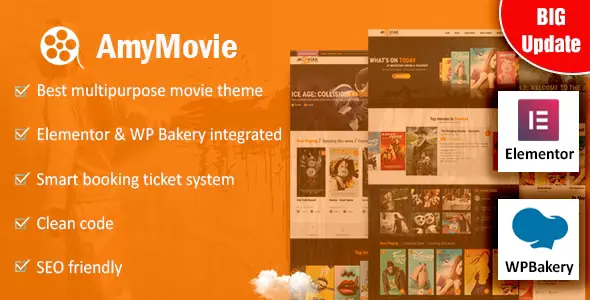
AmyMovie – Movie and Cinema WordPress Theme is a professional solution for theaters, film festivals, and entertainment websites. This movie WordPress theme offers stylish layouts for showcasing trailers, posters, and reviews. As a cinema WordPress theme, it provides responsive design and Elementor customization for flexible page creation. With WooCommerce integration, the film festival WordPress theme supports selling tickets, merchandise, and subscriptions online. Designed as an entertainment WordPress theme, AmyMovie ensures SEO optimization, mobile‑friendly performance, and multimedia support for video embeds and galleries. Whether you need a theater WordPress theme for schedules or an online ticket booking WordPress theme for events, AmyMovie delivers credibility, functionality, and growth.
🌐 Overview
- Theme Name: AmyMovie – Movie and Cinema WordPress Theme
- Category: Entertainment / Media / Cinema WordPress Theme
- Best For: Movie theaters, film festivals, cinema chains, streaming platforms, film blogs, and entertainment websites
🎯 Key Features
- Cinema‑Focused Design
- Pre‑built demos for movie theaters, film listings, and cinema schedules
- Stylish layouts for showcasing trailers, posters, and reviews
- Movie Listing & Management
- Custom post types for films, genres, and showtimes
- Advanced filtering and search for movie catalogs
- WooCommerce Integration
- Sell tickets, merchandise, or subscriptions online
- Secure checkout and product catalog support
- Elementor Page Builder
- Drag‑and‑drop customization with entertainment‑focused widgets
- Flexible layouts for film reviews, blogs, and event promotions
- Responsive & SEO Optimized
- Mobile‑friendly, retina‑ready design
- RankMath compatibility for higher search visibility
- Multimedia Support
- Embed trailers, video clips, and galleries
- Integration with YouTube and Vimeo for streaming previews
📊 Feature Highlights
| Feature | AmyMovie Benefits |
|---|---|
| Cinema Demos | Ready layouts for theaters & festivals |
| Movie Listings | Films, genres, showtimes, reviews |
| WooCommerce Ready | Sell tickets, merchandise, subscriptions |
| Elementor Integration | Drag‑and‑drop customization |
| Responsive Design | Mobile‑friendly, retina‑ready |
| SEO Optimization | RankMath compatible |
| Multimedia Support | Trailers, video embeds, galleries |
👥 Who Should Use AmyMovie?
- Movie Theaters – Showcase schedules, trailers, and ticket sales.
- Film Festivals – Promote events, screenings, and featured films.
- Cinema Chains – Manage multiple locations and showtimes.
- Streaming Platforms – Highlight movies, series, and subscription plans.
- Film Bloggers & Reviewers – Publish reviews, ratings, and multimedia content.
⚠️ Considerations & Trade‑offs
- Plugin Dependencies: Requires Elementor and WooCommerce for full functionality.
- Customization Depth: Advanced layouts may need Elementor expertise.
- Performance: Heavy video content may require caching optimization.
✅ Final Takeaway
AmyMovie is a professional movie and cinema WordPress theme designed for theaters, film festivals, and entertainment websites. With Elementor customization, WooCommerce integration, multimedia support, and SEO‑ready layouts, it’s the perfect solution for showcasing films, selling tickets, and building a dynamic online cinema presence.











Reviews
There are no reviews yet.