

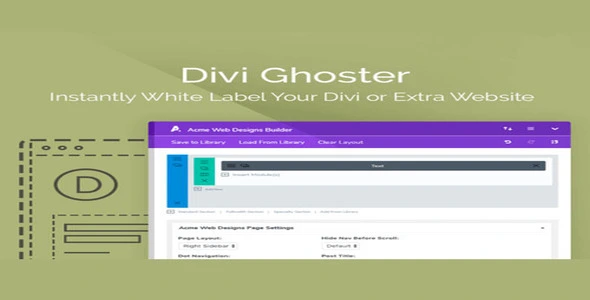

Description
The AGS: Divi Ghoster Pro – White Label & Branding Plugin for Divi at GPL Fox is a premium solution for agencies, freelancers, and developers. With this buy Divi Ghoster plugin, you can hide Divi and Extra branding and replace it with your own identity. It works perfectly as a premium Divi white label plugin and agency branding WordPress plugin, offering features like custom login screen plugin for Divi and branded admin panel WordPress plugin. You can even cloak the builder with the Divi Builder cloaking plugin, ensuring clients see only what they need. Lightweight, responsive, and SEO‑friendly, Divi Ghoster Pro is the ideal tool for professionals who want to elevate their brand presentation.
🌐 Plugin Overview
- Name: AGS: Divi Ghoster Pro
- Category: WordPress Plugin / White Label / Branding
- Best For: Agencies, freelancers, developers, and web studios using Divi
🚀 Key Features
- White Label Branding – Replace Divi branding with your own agency identity.
- Hide Divi References – Remove mentions of Divi and Extra from dashboard and source code.
- Custom Login Screens – Create branded login experiences for clients.
- Branded Admin Panels – Deliver a professional, agency‑style backend.
- Divi Builder Cloaking – Hide builder access from clients when unnecessary.
- Responsive & Lightweight – Works seamlessly across devices.
- SEO‑Friendly Setup – Clean branding without affecting performance.
🛠️ Use Cases
- Agencies – Deliver fully branded websites without Divi references.
- Freelancers – Present a professional identity to clients.
- Developers – Customize backend experiences for client projects.
- Web Studios – Standardize branding across multiple Divi builds.
📊 Feature Highlights
| Feature | Divi Ghoster Pro Benefits |
|---|---|
| White Label Branding | Replace Divi with your own brand |
| Hide Divi References | Clean dashboard & source code |
| Custom Login Screens | Branded client login |
| Branded Admin Panels | Professional backend experience |
| Divi Builder Cloaking | Control client access |
| Lightweight & Responsive | Seamless performance |
✅ Final Takeaway
AGS: Divi Ghoster Pro – White Label & Branding Solution for Divi is a premium WordPress plugin designed to help agencies, freelancers, and developers rebrand and customize the Divi theme environment. With Divi Ghoster Pro, you can hide Divi and Extra theme branding, replace it with your own agency identity, and deliver a fully white‑labeled experience to clients.
This plugin allows you to remove Divi references from the WordPress dashboard, theme options, and even the source code, ensuring a professional presentation. It also includes advanced features like custom login screens, branded admin panels, and the ability to cloak Divi Builder from clients who don’t need backend access.










Reviews
There are no reviews yet.