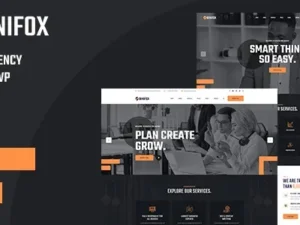
Appyn – WordPress Theme is a professional, responsive, and SEO‑optimized theme designed specifically for building app directories, software review websites, and download portals. Tailored for application‑focused content, it provides a clean, fast, and user‑friendly platform to showcase apps, versions, changelogs, and download links without requiring complex plugins.
🌟 Key Features of Appyn
1. App Directory & Showcase
- Prebuilt Templates: Ready‑made layouts for app listings and download pages.
- App Information System: Add app details, versions, changelogs, screenshots, and videos directly.
- Download Buttons: Built‑in system for linking to external servers or app stores.
- Google Play Importer: Import app data automatically by URL for faster publishing.
2. Blogging & Content Tools
- Post Formats: Support for standard posts, app reviews, and tutorials.
- Category Styling: Organize apps by categories with clear visual separation.
- Widgets & Custom Boxes: Add app info, ads, or permanent custom content blocks.
- AMP Support: Optimized for Accelerated Mobile Pages to improve mobile performance.
3. Customization & Flexibility
- Responsive & Mobile‑Friendly: Works seamlessly across smartphones, tablets, and desktops.
- Unlimited Colors & Fonts: Match your brand identity effortlessly.
- Sidebar & Footer Options: Flexible layouts for navigation and ads.
- One‑Click Demo Import: Quickly set up your site with sample content.
4. User Experience Enhancements
- SEO‑Optimized Structure: Built to rank higher in search engines.
- Fast Loading Speeds: Lightweight design ensures smooth browsing.
- Ad Control: Manage advertising placements for monetization.
- Multilingual Support: Compatible with WPML for global audiences.
5. Extra Functionalities
- Version History: Display app updates and changelogs clearly.
- MOD App Support: Import and showcase modified apps with custom details.
- Reports & Analytics: Track app performance and user engagement.
- Newsletter & Social Media Integration: Grow your audience and connect with users.
📊 Quick Overview Table
| Feature |
Benefit |
| App Listing Templates |
Showcase apps with details & downloads |
| Google Play Importer |
Import app data automatically |
| SEO‑Optimized |
Higher search engine visibility |
| Responsive Design |
Works perfectly on all devices |
| AMP Support |
Faster mobile performance |
| Ad Control |
Monetize with flexible ad placements |
| Version History |
Display updates & changelogs |
🌟 Why Choose Appyn?
Appyn is more than just a WordPress theme—it’s a complete solution for app directories and download sites. With its built‑in app management system, Google Play importer, and SEO‑friendly design, it empowers bloggers, developers, and tech publishers to build professional websites that attract traffic and deliver a smooth user experience. Whether you’re running an Android app catalog, a software review site, or a digital download portal, Appyn provides the tools and flexibility you need to succeed.
🛠️ How to Install GPL Themes & Plugins from GPLFox.com
1. Download Your Theme or Plugin
- Visit GPLFox.com and log in to your account.
- Browse or search for the theme/plugin you want.
- Click Download to get the
.zip file onto your computer.
2. Install via WordPress Dashboard
- Log in to your WordPress Admin Panel.
- Go to:
- Themes → Appearance > Themes > Add New > Upload Theme
- Plugins → Plugins > Add New > Upload Plugin
- Click Upload, then select the
.zip file you downloaded from GPLFox. - Press Install Now.
3. Activate the Theme or Plugin
- Once installed, click Activate.
- For themes: your site will immediately switch to the new design.
- For plugins: the plugin will be enabled and ready to configure.
4. Configure Settings
- Most premium themes/plugins include customization options.
- Navigate to the theme’s Customizer or plugin’s Settings panel.
- Adjust layouts, features, and integrations as needed.
5. Keep Files Updated
- GPLFox provides updated versions regularly.
- Re‑download the latest
.zip from GPLFox and repeat the upload process to update your theme/plugin.
✅ Tip for Users: Since GPL products don’t require license activation, you can use them right away after installation. Just make sure to keep them up to date for security and compatibility.